Monitoring
Experiment progress and metrics can be monitored from the AIchor UI or the CLI.
Resource metrics
Per-experiment CPU, memory, and GPU metrics are shown on the Monitoring tab of the experiment page, and are also available from the CLI. See Experiment metrics for the full set of metrics and how to read them.
Pods status (for kuberneties engines)
The Pods tab shows the status of each pod in the experiment. This is useful for diagnosing scheduling or runtime issues.
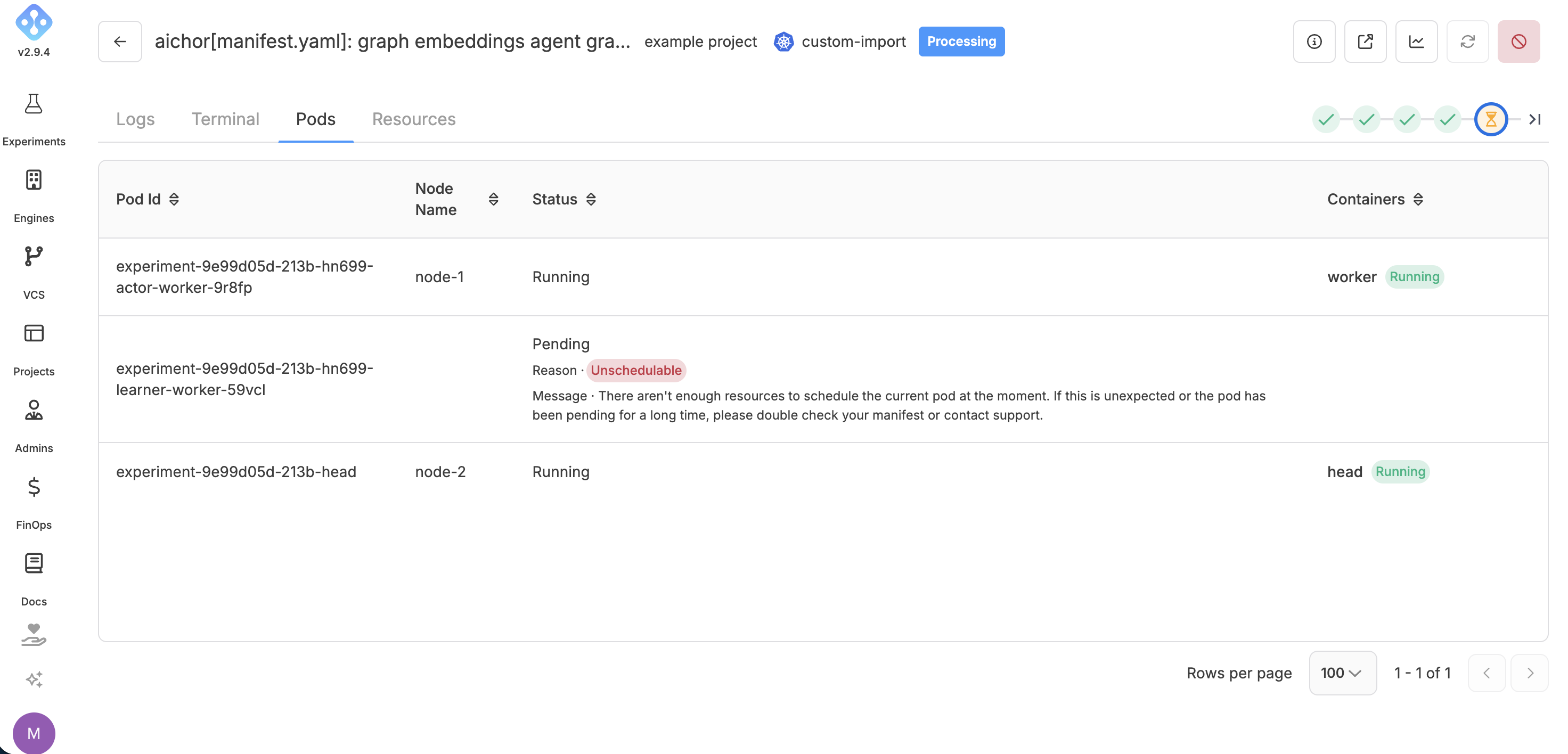
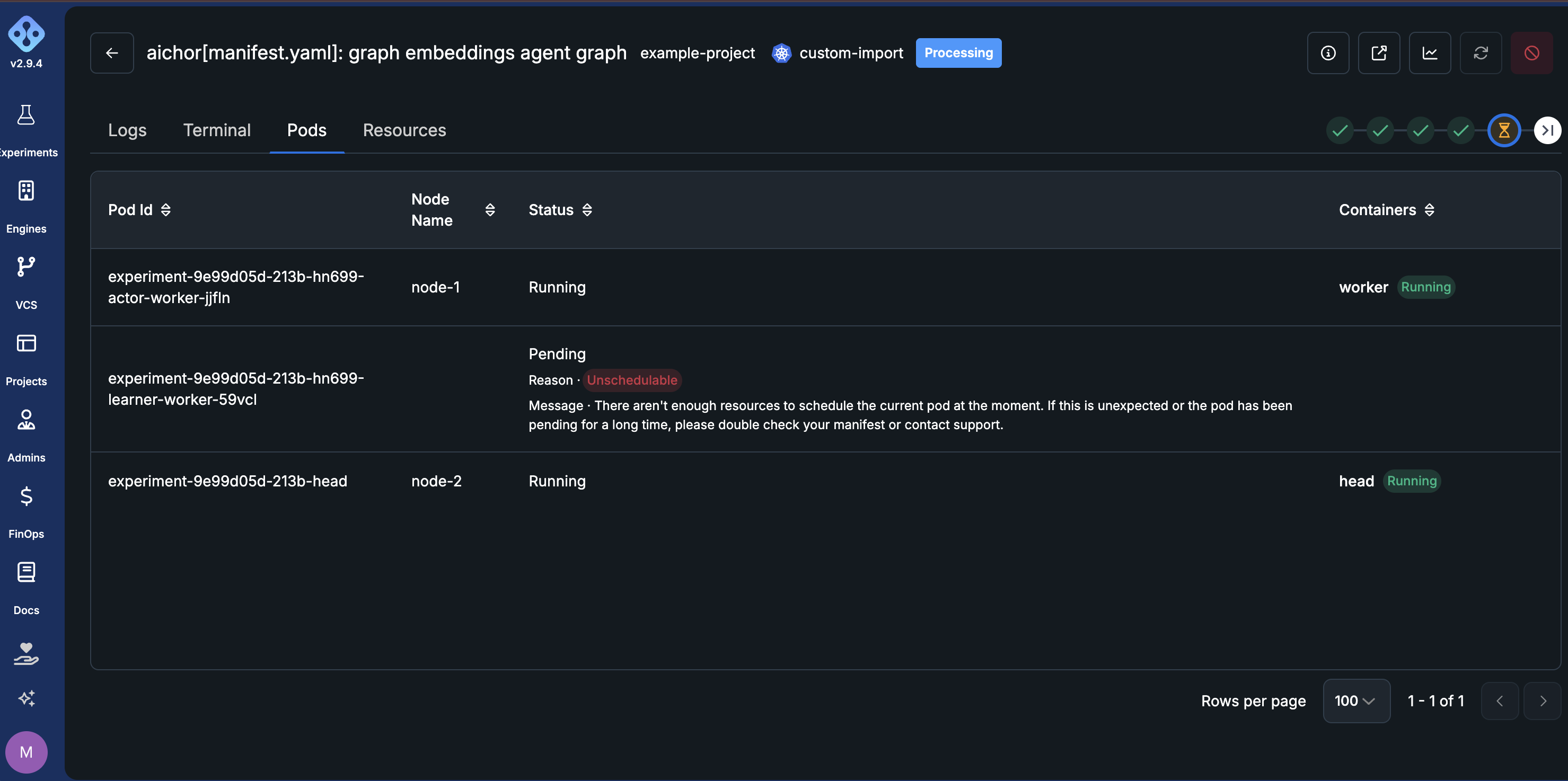
Pod information is also available via the CLI:
aichor experiments list-pods <experiment-id>
TensorBoard
To use TensorBoard, save all logs to the directory given by the AICHOR_TENSORBOARD_PATH environment variable, then open AIchor's TensorBoard integration:
- Go to the experiment page.
- Click the View TensorBoard button in the top-right corner.
The tensorboard option must be enabled in the manifest. To see the manifest spec, check the Manifest Reference.
Where logs are stored
By default, AICHOR_TENSORBOARD_PATH points to a location in the project's cloud storage bucket (object storage). Logs written there are read automatically by the TensorBoard integration, with no extra configuration required.
Organizations without cloud storage
Some organizations are set up without cloud storage buckets. For these, TensorBoard logs are kept on a shared volume (a disk attached to the experiment) instead. In this case, AICHOR_TENSORBOARD_PATH points to a directory on that mounted volume rather than to a bucket, and the training code writes to it in exactly the same way.
To enable this, attach a volume in the manifest and tell TensorBoard to use it:
spec:
  storage:
    attachExistingPVCs:
      - name: <volume-name>
        mountPoint: /mnt/tensorboard
  tensorboard:
    enabled: true
    usePVC:
      enabled: true
      name: <volume-name>
The volume must be requested from the organization administrator beforehand. Once attached, the View TensorBoard button works the same as with cloud storage.
Ray dashboard
Experiments that use the kuberay operator also have the option to access the Ray dashboard directly through the AIchor UI.
Checking status and step via CLI
The current status of an experiment:
aichor experiments status <experiment-id>
Output:
{"experiment_status": "Succeeded"}
Possible values: Created, Processing, Cancelled, Succeeded, Failed.
The current step:
aichor experiments step <experiment-id>
Output:
{"experiment_step": "Running"}
Possible values: Waiting, Cloning, Building, Submitting, Running, Completed.
Both commands return JSON and can be captured in scripts:
STATUS=$(aichor experiments status <experiment-id> | jq -r '.experiment_status')
STEP=$(aichor experiments step <experiment-id> | jq -r '.experiment_step')