AWS EKS
When creating an AWS EKS engine, AIchor provisions and manages an Elastic Kubernetes Service cluster in the specified AWS account. The cluster is deployed in a single region with multi-AZ configuration. The cluster lifecycle (upgrades, patches) is handled by AIchor.
Prerequisites
- An AWS account must be available and the IAM role used for provisioning must have the necessary permissions.
- An IAM role with the required permissions must be created in the AWS account and its ARN noted.
- The target AWS region must be decided in advance. All AWS regions are supported.
- Optional: decide whether Amazon EFS should be enabled for file storage.
Steps
- In the AIchor UI, open Engines from the left menu and click Add Engine.
- Select In The Cloud, then AWS, then EKS, then Create.
- Fill in the form fields described below and click Submit.
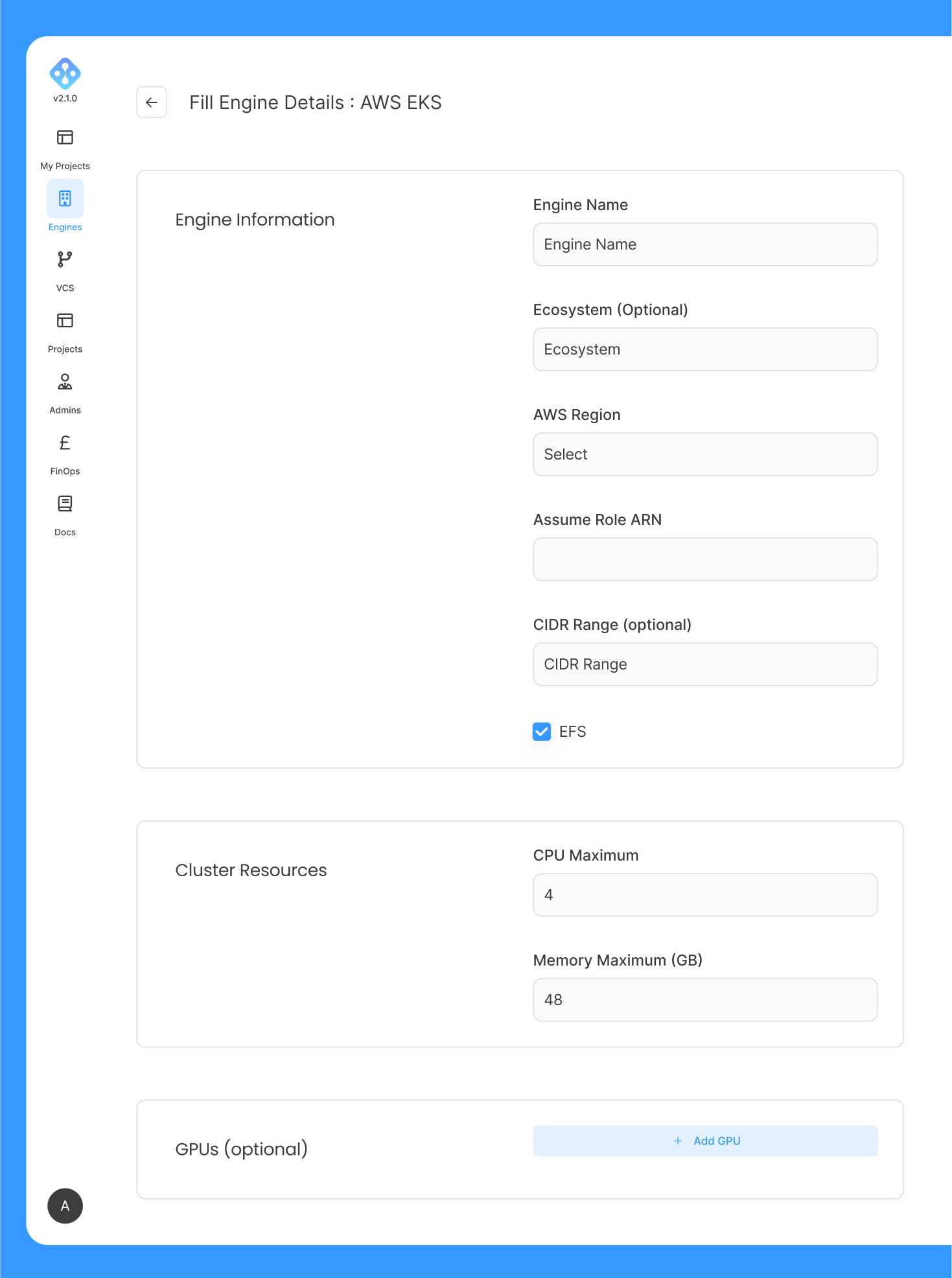
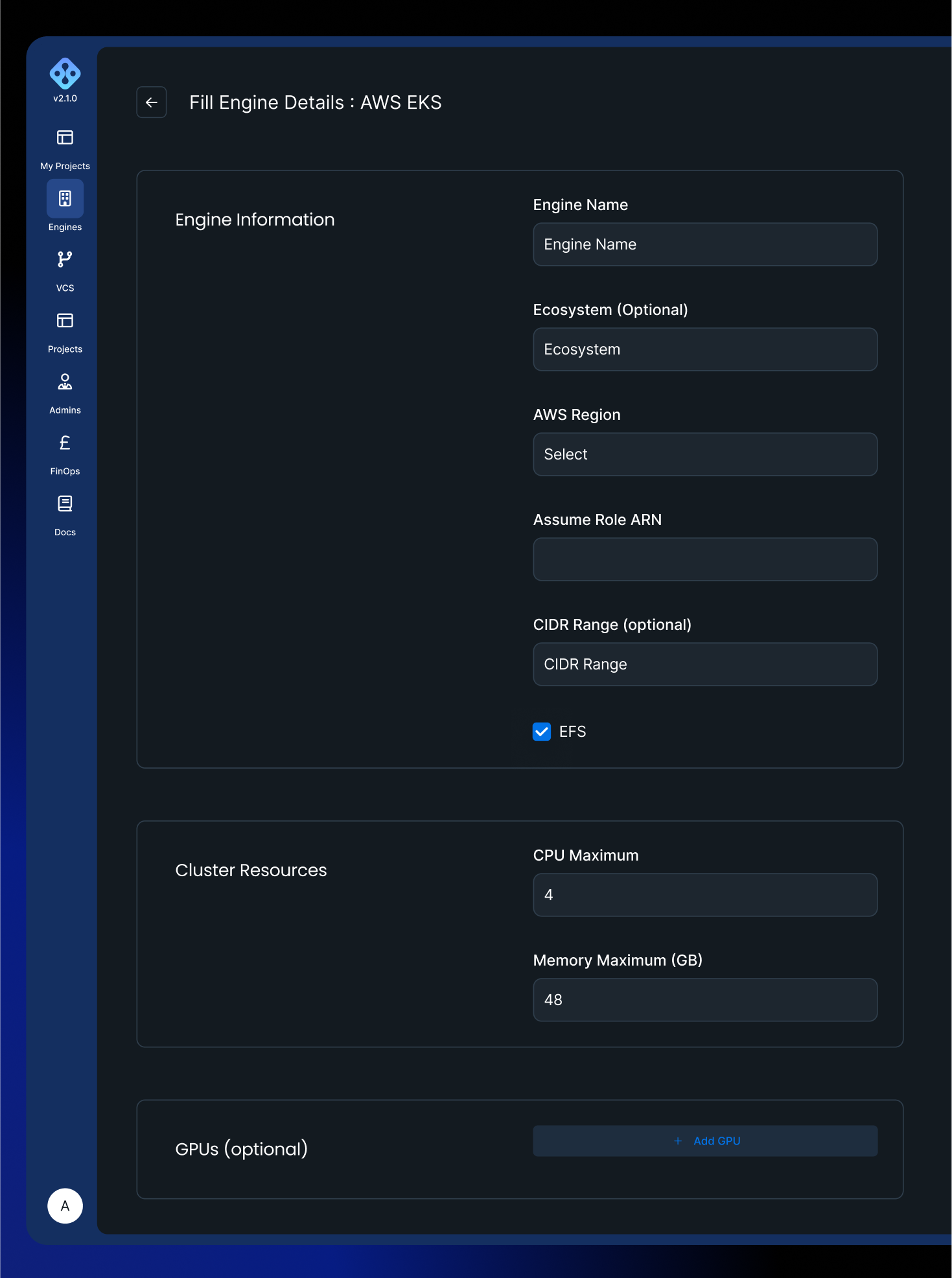
Form fields
| Field | Required | Description |
|---|---|---|
| Engine Name | Yes | Lowercase alphanumeric characters and hyphens only. Must start with a letter. Maximum 128 characters. |
| Ecosystem | No | Tag passed to infrastructure-as-code tooling. Only required for specific organisations on InstaDeep recommendation. |
| Region | Yes | Dropdown of all available AWS regions. Select the region where the cluster will be provisioned. |
| Assume Role ARN | Yes | ARN of the IAM role created in the AWS account with the permissions required by AIchor. Format: arn:aws:iam::account-id:role/role-name. |
| CIDR Range | No | IP address range used for VPC creation. |
| EFS File Storage | No | Checkbox. When enabled, Amazon Elastic File System (EFS) is activated for file storage on the engine. |
Engine resources
The Engine Resources section defines the compute capacity available to the engine.
| Field | Required | Description |
|---|---|---|
| Max CPU | Yes (minimum 12) | Maximum number of CPU cores the engine can allocate across all workloads. |
| Max Memory | Yes (minimum 48) | Maximum memory in GB the engine can allocate. |
| GPUs | No | One or more GPU entries. Each entry specifies a GPU type (from the AWS catalogue) and a minimum and maximum count. |
Supported GPU types:
| GPU type | Identifier |
|---|---|
| NVIDIA Tesla T4 | t4 |
| NVIDIA L4 | l4 |
| NVIDIA Tesla V100 | v100 |
| NVIDIA A100 | a100 |
| NVIDIA H100 | h100 |
| NVIDIA M60 | m60 |
| NVIDIA A10g | a10g |
| NVIDIA T4g | t4g |
| NVIDIA K80 | k80 |
| Habana Gaudi HL-205 | gaudi-hl-205 |
| AMD Radeon Pro V520 | radeon-pro-v520 |
After submission
After the form is submitted, AIchor begins provisioning the EKS cluster. Once provisioning is complete, the engine status is displayed as READY on the engine management page.