Persistent Volume Claims
A Persistent Volume Claim (PVC) is a dedicated block storage volume that can be attached to experiment pods on Kubernetes engines. PVCs offer faster I/O than cloud object buckets, making them suitable for datasets that are read repeatedly or for checkpoints written at high frequency.
PVCs are available on Kubernetes-based engines only (GKE, EKS, AKS, and on-premises clusters). They are not available on AWS ParallelCluster.
PVCs are less durable than project buckets, which replicate data across multiple locations and are designed for long-term durability, whereas a PVC is backed by a single volume that can be lost if the underlying disk fails or the volume is deleted. Treat a PVC as a fast working cache, not a system of record.
Creating a PVC
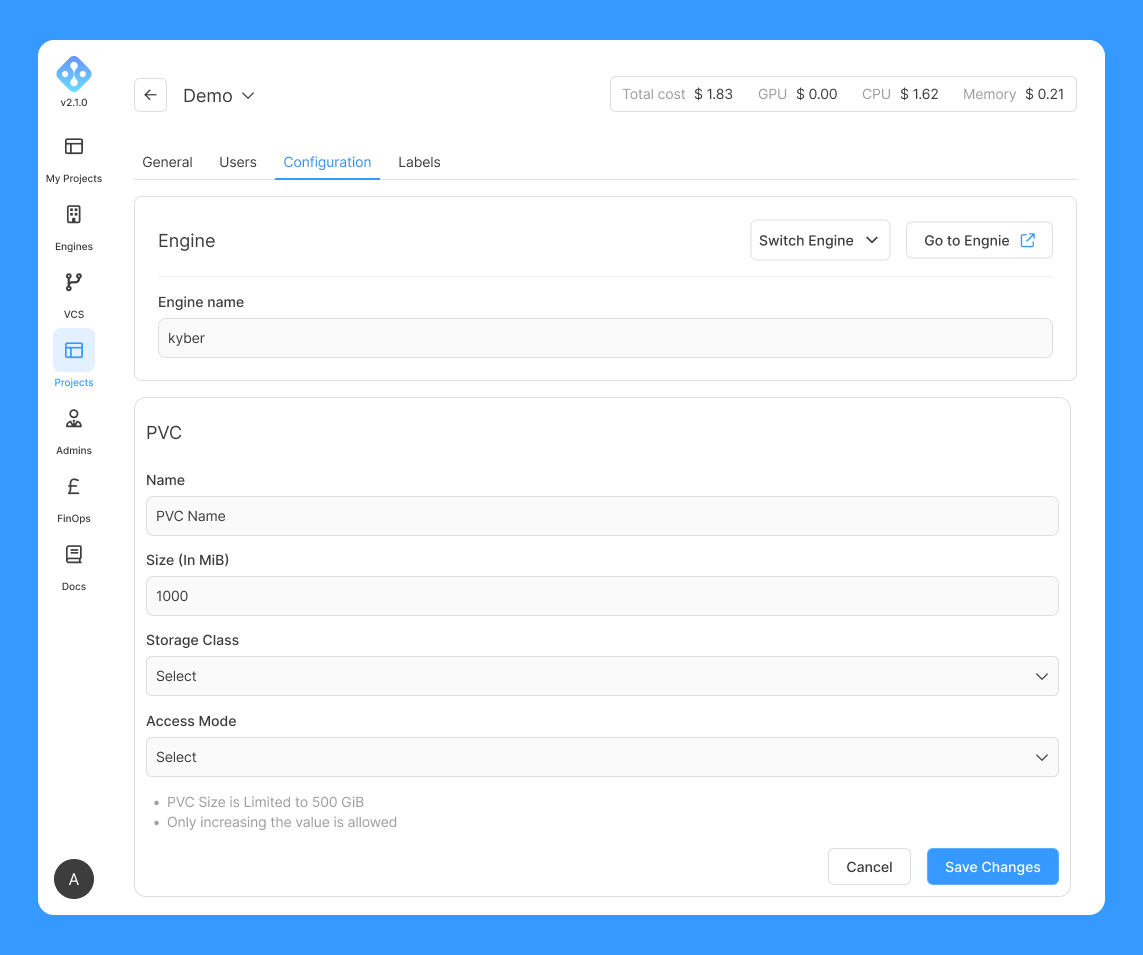
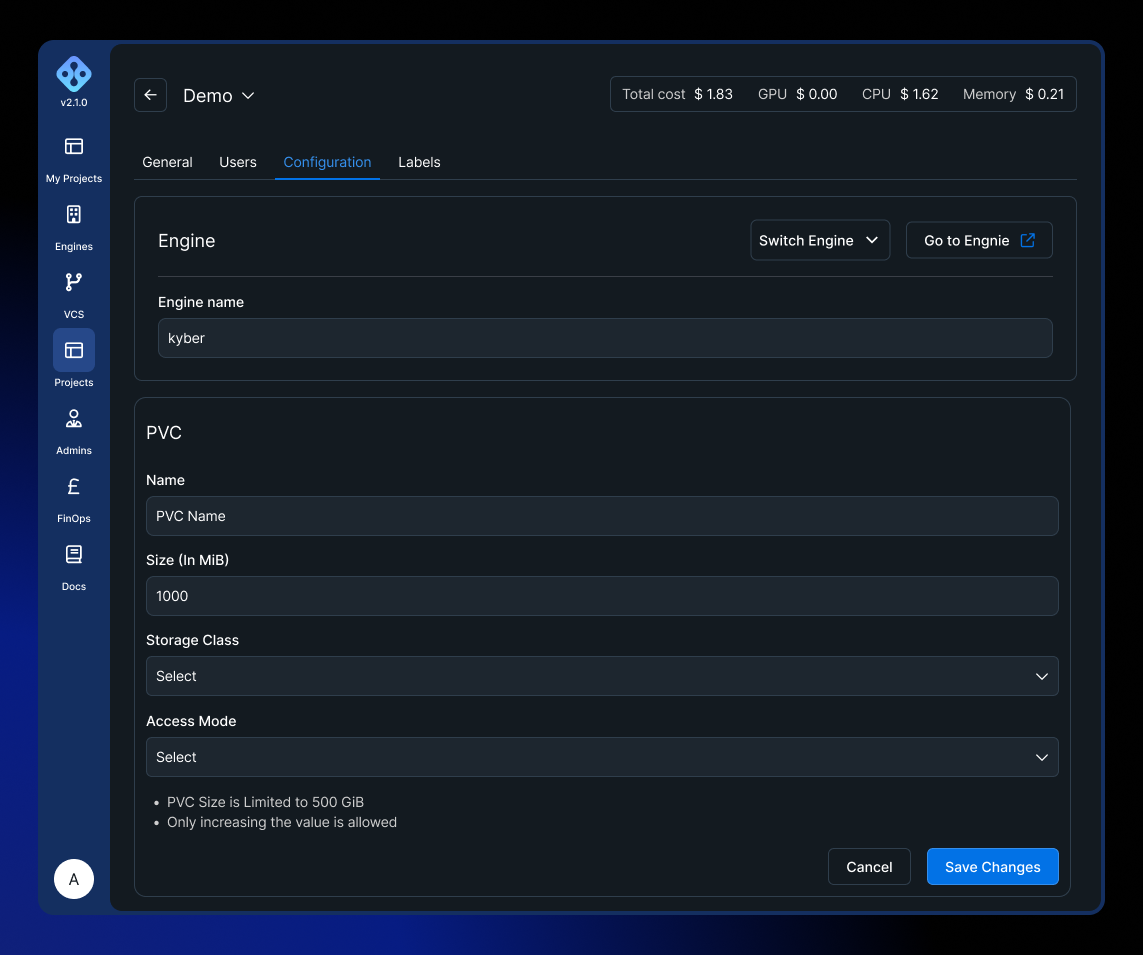
PVCs are created per project. Navigate to the project's Admin view, open the Configuration tab, and locate the Persistent Volume Claims section.
Fields
| Field | Description | Constraints |
|---|---|---|
| Name | Identifier for the PVC within the project | Lowercase alphanumeric and hyphens only (^[a-z0-9]([-a-z0-9]*[a-z0-9])?$), max 64 characters |
| Size (MiB) | Storage capacity to allocate | Must be greater than 0 |
| Engine | The Kubernetes engine to create the PVC on | Must be in Ready state |
| Storage Class | The Kubernetes storage class to use | Options loaded dynamically depending on the selected engine |
| Access Mode | How pods are allowed to mount the volume | See table below |
Access modes
| Mode | Description | Typical use case |
|---|---|---|
ReadWriteOnce | Read-write access from a single node | Single-pod experiments, checkpointing |
ReadWriteMany | Read-write access from multiple nodes simultaneously | Multi-pod experiments that write shared data |
ReadOnlyMany | Read-only access from multiple nodes simultaneously | Shared read-only datasets across all workers |
For multi-pod distributed experiments where all workers need to write to the same volume, ReadWriteMany is required. Not all storage classes support it, please check the cluster's available storage classes with the infra administrator.
See the Kubernetes access modes documentation for full details.
Resizing a PVC
The size of an existing PVC can be increased from the same Configuration tab. A decrease in size is not supported.
Resizing requires that the storage class has allowVolumeExpansion enabled. This is determined by the cluster configuration.
Using a PVC in an experiment
PVCs are attached to experiment pods via the attachExistingPVCs field in the manifest.yaml:
spec:
  storage:
    attachExistingPVCs:
      - name: my-dataset-pvc
        mountPoint: /mnt/dataset
      - name: my-checkpoints-pvc
        mountPoint: /mnt/checkpoints
The name must match the PVC name as created in the project configuration. Multiple PVCs can be attached to the same experiment.
See the Manifest Reference for the full storage field specification.
A freshly provisioned PVC is owned by root. If your container runs as a non-root user, writing to the mount point fails with:
mkdir: cannot create directory '/mnt/data/...': Permission denied
Add a securityContext with fsGroup set to your container's group so the non-root process can write to the volume:
spec:
  securityContext:
    runAsUser: 1000
    runAsGroup: 1000
    fsGroup: 1000
  storage:
    attachExistingPVCs:
      - name: my-dataset-pvc
        mountPoint: /mnt/dataset
See the full example for more detail.
Lifecycle
PVCs persist independently of experiments, this means the volume is not deleted when an experiment finishes. PVCs can be deleted manually from the project's Configuration tab.
When a project is deleted, PVCs associated with it are deleted as part of the project deletion cascade.
Limitations
- Available on Kubernetes engines only.
- The storage class must be supported by the target cluster. Contact the infrastructure administrator to confirm which classes are available.
ReadWriteManyandReadOnlyManyaccess modes are not supported by all storage classes (e.g.standardon GKE only supportsReadWriteOnce).- PVC size cannot be decreased after creation.
- PVCs are scoped to a specific engine so a PVC created on one engine cannot be attached to an experiment running on a different engine.
Ephemeral shared volumes
The PVCs described above are created in the project configuration and persist across experiments. AIchor also supports an ephemeral shared volume, declared inline in the manifest under spec.storage.sharedVolume, that is created when the experiment starts and deleted when it ends:
spec:
  storage:
    sharedVolume:
      mountPoint: "/mnt/shared"
      sizeGB: 32
      storageClass: "standard-rwx"
      accessMode: "ReadWriteMany"
A shared volume lets multiple pods of the same experiment read and write the same data without going through a bucket. Because the underlying PVC is ephemeral, it is suited to scratch data and intermediate results rather than artifacts that need to outlive the run. To keep data after the experiment finishes, write it to a bucket or use an attached PVC instead.
Project PVC (attachExistingPVCs) | Shared volume (sharedVolume) | |
|---|---|---|
| Created | In the project configuration, ahead of time | Inline in the manifest, at experiment start |
| Lifetime | Persists across experiments until deleted | Deleted when the experiment ends |
| Reusable | Yes, by any experiment on the same engine | No, scoped to a single experiment |
See the shared volume example and the Manifest Reference for the full storage field specification.